About

The resource to people switching to the Mac (and to MacLife altogether): Mac OS X integration, Mac-Windows interoperability, iPod and most Macintosh-related topics!

Social Media

RSS Feeds

Posted on June 14, 2006 at 4:53 pm

MacBook test data reveals surprise

A MacBook surprise?

New test data between Apple’s black and white Intel-based MacBook systems has revealed unexpected results, showing numerous speed differences favoring the white model. “Testing the white 2GHz MacBook and comparing the results to the published scores of the black model, we saw small performance differences in many of the tests, with the edge going to the white model in most cases,” Macworld wrote. The iMovie and Compressor MPEG-2 Encoding tests appeared to favor the white MacBook more than other tests, according to the report.

So what?
More tests, which included swapping the hard drives inside both Macs, suggested that the hard drives accounted for the differences.

http://www.macnn.com/articles/06/06/13/macbook.test.data/

Share


Posted on June 10, 2006 at 1:08 am

MacSaber: Turn Your Mac Into A Jedi Weapon

macsaberMost of the newest Powerbooks use SMS (Sudden Motion Sensor) to deal with accidental falling and hard disk preservation.
Well, this is done thanks to some accelerometers and should keep the hard disk head well out of the disk surface whenever a sudden fall should occur.

Ok, but what’s better use of SMS than Star Wars Lightsabers, courtesy of MacSaber?
Compatible with newer Powerbooks (G4 > 1.5 GHz, typically) and MacBooks of course.

Click below to see the YouTube video of what it means to fight like a MacJedi!
(sorry, no purple Mac available…)

Share


Posted on May 25, 2006 at 8:30 pm

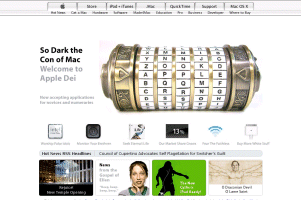
Da Vinci Code – Apple style

apple funTo be an Apple switcher does mean you’re getting less serious?
Maybe…
This time Apple web site gets defaced – thanks to the Da Vinci Code fever.
Just a simple web page to show how simple is to turn our beloved apple into a sacred fruit…

Check here http://www.icryptex.com/

Share

Posted on May 25, 2006 at 5:03 pm

Apple MacBook presentation and test drive!

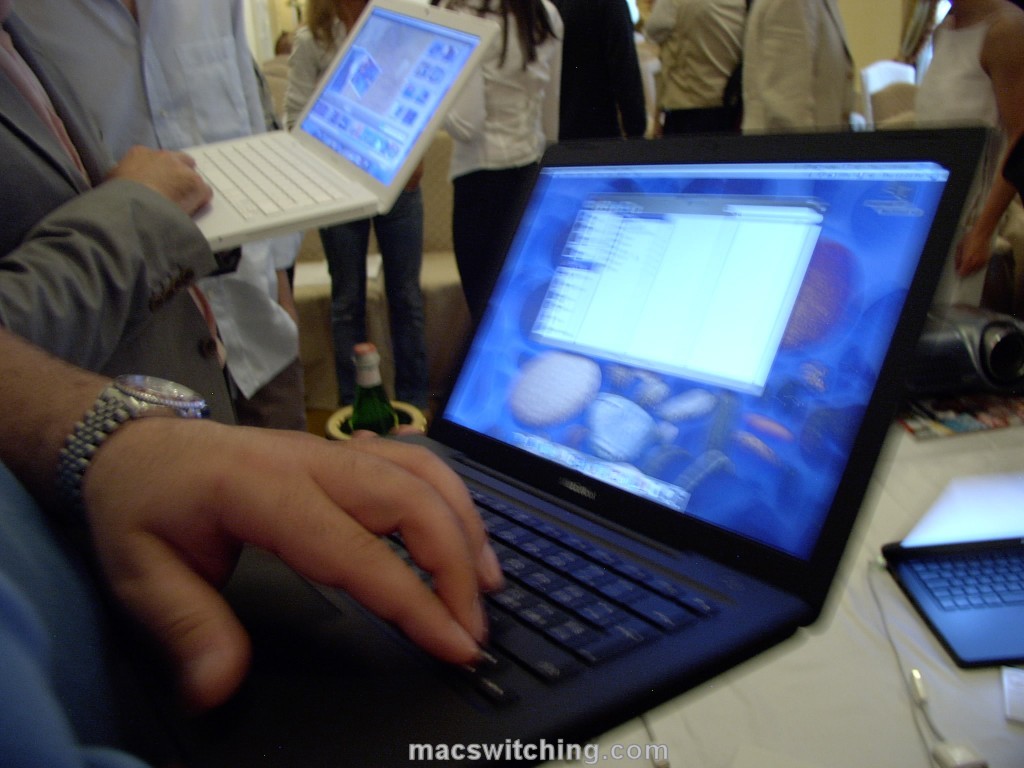
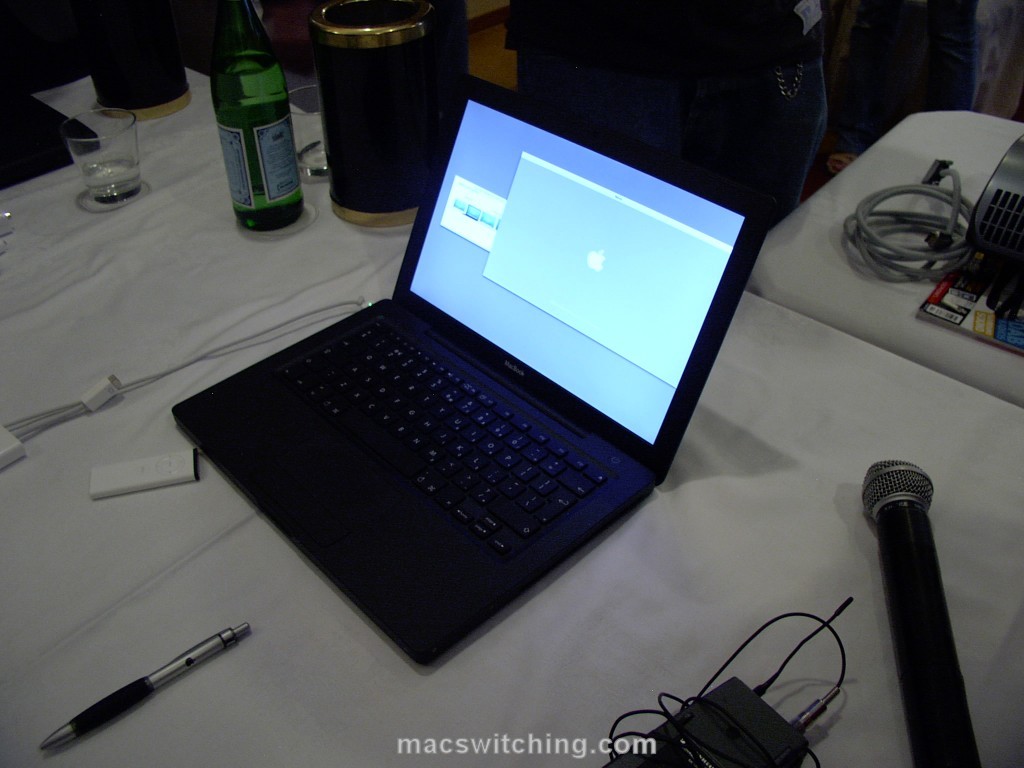
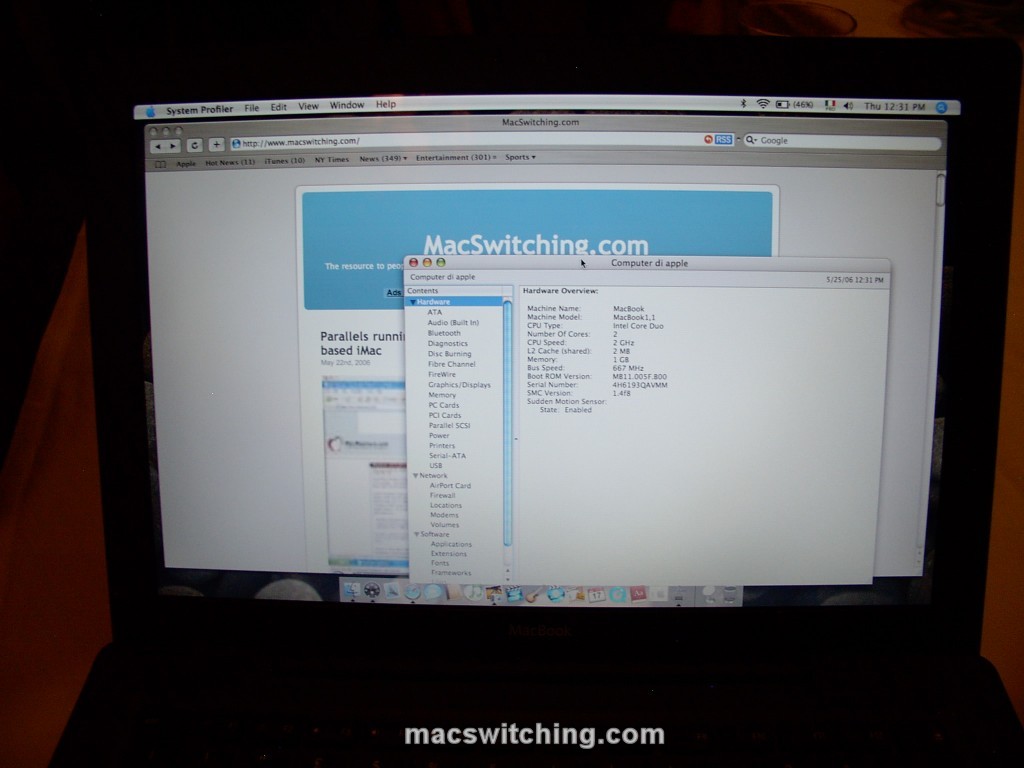
macbook frenzyFirst-hand experience on the new MacBook this morning!
Along with several Mac-fans / switchers / users / pros, I’ve been testing, touchin’ and weighin’ the brand new MacBook.
Click on pictures to see them enlarged.
First impressions.
Great screen: a glossy screen it’s a first-time-ever on a Mac, but it’s welcome. The black MacBook really shines (!) when it comes to show off a Keynote presentation and the backlit Apple logo on the cover it’s really cool.
Weight: I’d expect a lighter MacBook but it’s ok after all, and the size allows to slip it in the backpack comfortably.
macbook presenterKeyboard: reminding of the early 80’s and Sinclair keyboard I was quite worried about this new keyboard. No problem at all: both layout and key placement are pretty good and get you up and running/typing really easily. The keyboard seems to be more protected than before from dust.
Huge touchpad: you have to see how large it is…
Heating & battery life: during presentation, all MacBooks had both Airport and Bluetooth turned on. Battery usage, although I saw brand new MacBooks, holds good promises.macbook profiler
As for heating, the upper-left part was quite hot, but my G4 Powerbook it’s much er… better when cooking… I’m unable to tell if the different material between black & white model makes any difference about heating.
What about performance?

Safari browsing, task & dashboard switching, Front Row switching were all pretty good.
macbook familyIt did indeed performed well when playing Mission Impossible 3 trailer on Quicktime, and I mean the HD 720p version!
All standard Mac apps perform very well and the i950 graphics card does a good job even when several apps (iDvd and iMovie) are working together taking the Core Duo to the limit.

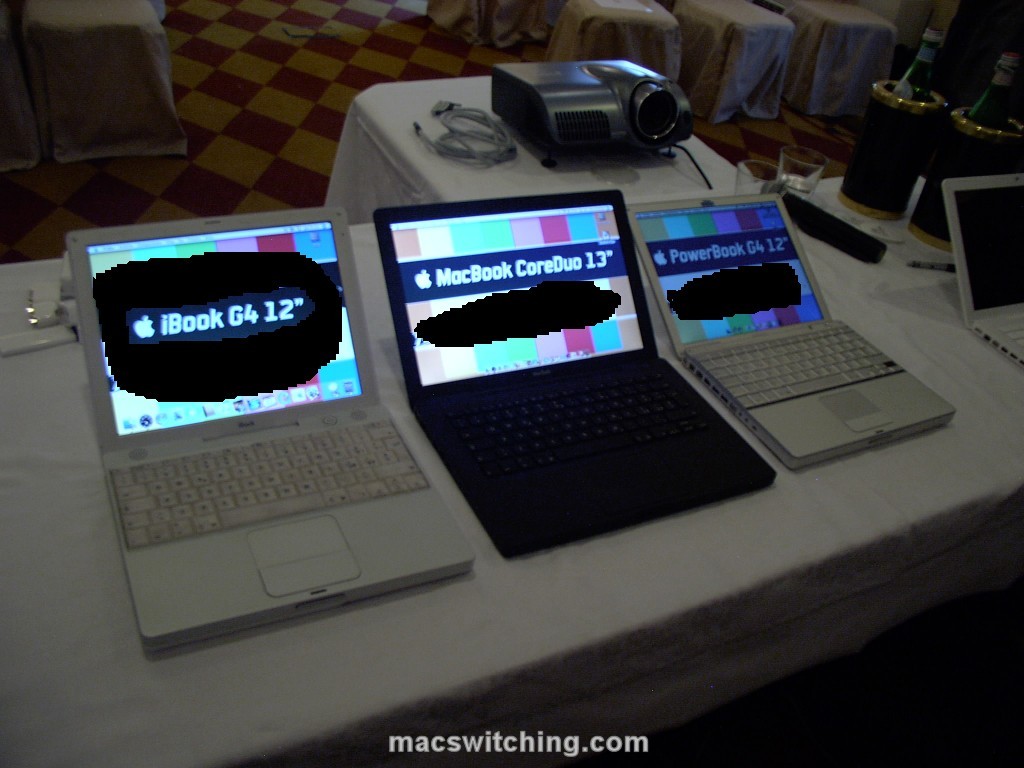
Finally, a complete lineup of consumer/small portable Macs.
Here in a row: an iBook G4 12″, a MacBook 13.3″ and a (venerable) Powerbook G4 12″.
(some top-secret screen content removed…)
The complete history in a row!

Share

Posted on May 22, 2006 at 1:15 pm

Parallels running Windows XP on Mac OS X – intel-based iMac

A pretty example of ‘total switching’.
From the author’s note:Installed the Mac OS X beta from Parallels and demonstrated the speed of XP by reinstalling Firefox, surfing, and rebooting. Running on Intel iMac 2.0 Ghz (256 MB VRAM, 1.5 GB RAM, 512 MB given to XP)

Share

Posted on May 22, 2006 at 1:03 pm

Fast OS Switching on MacBook

As the author says: Fast OS Switching that used Parallels beta 6 and Virtue.

More on this topic…

Share

Posted on May 21, 2006 at 10:20 pm

The LAST reboot – how much time has passed since the last rebooting? A hands-on LAST tutorial.

The LAST reboot – how much time has passed since the last rebooting? A hands-on LAST tutorial for Mac OS X (and BSD as well).

Preface
This is no earthshaking news, just a little bunch of info and real-life experience by myself: it may be well known to you or not.
It’s just my 50 cent contribution.

As every good Mac OS X user, I usually reboot only when really needed.
Two recent events occurred and required me to reboot and shutdown completely (respectively) my G4 Powerbook.
First of all I applied Apple’s latest Security update, a major one involving a huge number of system components as well as major apps.
In second place I got a 1 GB SODIMM from an ebay auction at a real bargain price.
In short: I applied the patch and shutdown the Powerbook in order to put the 1 Gig beside the original 512 MB – grand total 1.5 GB, a different life!

Just like many (if not all) Powerbook users, I’m so used to just STOP my Powerbook instead of shutting it off that sometimes I even forget when was the last time I rebooted it.
After the RAM upgrade I asked myself this very question and proceeded as follows:
– opening the Terminal
last|more
– checking for the first shutdown/reboot item.

Right?
Wrong…

As a part of the DAILY/WEEKLY/MONTHLY rotation of log files, Mac OS X told me that the ‘history’ has changed so much and that:

wtmp begins Mon May 8 12:03

therefore, there’s no evidence/log before that date – and no shutdown/reboot recently…

So what?
Ok, let’s get back to basics:

man last

The LAST command, quite powerful allows us to report on login by users AND TTYs (remote).

The right syntax is, of course, as of

last --h

usage: last [-#] [-f file] [-t tty] [-h hostname] [user ...]

So LAST it’s able to read not only from the current WTMP (the log file that SYSLOG is updating), but even an older/different WTMP provided by the user.
Time to look for the WTMPs graveyard, that is, where the system’s CRON put all the older WTMPs.

If you don’t know the answer, just do a:

locate wtmp

As expected all files are GZIPped under /private/var/log and usually all logs are under /var/log
What’s inside there?
Typing:

ls -al /private/var/log/wtmp*

gives as a result:

-rw-r--r-- 1 root admin 1368 May 21 20:42 /private/var/log/wtmp
-rw-r--r-- 1 root admin 414 Apr 27 15:28 /private/var/log/wtmp.0.gz
-rw-r--r-- 1 root admin 219 Apr 1 13:42 /private/var/log/wtmp.1.gz
-rw-r--r-- 1 root admin 1913 Mar 6 14:44 /private/var/log/wtmp.2.gz

So, from my own user directory (usually /Users/your-name ) I just did a copy of all this files into the Documents folder, just to be safe and juggle with them in a safe place.
Like this:

cp /private/var/log/wtmp.* Documents/

Then, getting into Documents/

cd Documents

and GUNZIPping those WTMPs

gunzip wtmp.*

At last, LASTing each of the four WTMPs, I found the info I needed into wtmp.2:

last -f wtmp.2|more

revealed what follows:

steve ttyp2 Fri Feb 17 00:26 - shutdown (3+20:55)

There it is: I haven’t been rebooting since February 17th, that’s three months without a reboot!

Lesson learned include how much Mac OS X is robust… and as a result, how much LAST enables you to check all shutdown, crash and reboot of your Mac OS X box.
For a single system this may be a trivial task, but not for a multi-Mac sys admin having to cope with several distributed systems.

Share

Posted on May 19, 2006 at 2:28 pm

How to dismantle a MacBook – and discover it’s easy to upgrade

MacWorld has posted a video where it’s easy to see how (easy is) to upgrade both RAM and hard disk in the new MacBook.
Beneath the battery lie the two SO-DIMM slots with a curious leveraging system to get them out.
The hard disk comes out thanks to a plastic strap and it’s a common 2,5″ unit…

MacBook owners may upgrade at will: for the first time much more than PC owners…

BTW, MacWorld says this won’t void Apple’s warranty…

Share

Posted on May 16, 2006 at 4:17 pm

MacBook announced: Intel Core Duo for iBook-class notebooks

apple macbookApple has announced today the brand new MacBook.

It’s the long-awaited replacement for iBook, now sporting Intel Core Duo processor.

So long iBook, it’s been a good workhorse for a lot of people since its introduction back in July 1999 [check here the old G3 specs].

A first look at the new MacBook tech specs (much like what the rumors predicted):
– a brilliant (Vaio-style) glossy 13.3″ display, a must to compete with PCs and the first time ever on a Mac,
– 1.83 and 2.0 GHz processor speed,
– DDR2 RAM up to 2 GB,
– a dual-layer SuperDrive,
– 2 USB 2.0 and a (!) a FireWire 400 port,
– up to 120 GB hard disk drive,
– a not-so-amazing Intel GMA 950 graphics card with 64 MB of shared memory, but still capable of extended desktop on external monitor, through the mini-DVI output and with some optional VGA/DVI/S-VHS adaptors.
apple macbook
Just like the bigger MacBook Pros, the new MacBook sports:
– the MagSafe power adapter,
– a built-in iSight for iChat AV (and some other videophone apps),
– FrontRow remote.

All software bundled with MacBook, as well as iLife ’06, is Universal Binary, that is Intel-CPU compatible: right now.

All this in a white or black (just the big BTO model) case, just like iPod nano…

Prices starting at just US$ 1099 or EU 1119.
Availability: now.

A strange point: the black model, color apart, will get you a 80 GB (up from 60 GB on the White model) for US$ 200 more… the same drive on the White will cost just US$ 50 more…

Check hi-res pictures of the new MacBook from Apple PR right here.

It’s a neat move on Win-PCs and, by the way, it’s quite competitive (in price & specs) on similar PCs with lower-clocked CPUs, no iSight etc. etc.

Share

Posted on April 16, 2006 at 3:43 pm

A Mac OS X for everyone, even Windows users: no installation required!

mac os xChris Kite (along with a cool team) has created a transformation package for Windows XP that makes XP look almost like Mac OS X.

The project’s web site is a masterpiece on itself too.

Check here for this online Mac OS X version!

Share

Posted on April 5, 2006 at 10:25 am

Boot Camp: Windows XP running on Intel-based Macs

The announcement today.
Just as expected, you can now run Windows XP on the newest Intel-based Macs.
The question is: should you?
😉

Check here Apple’s Boot Camp press release.

Share

Posted on April 2, 2006 at 6:31 pm

Are you a real Mac switcher? Try this quiz!

Now that Apple is turning 30, dare you try your knowledge of the Cupertino world, previous Apple products, Steve’s history, Apple’s slogan and tv ads?
10 easy (!) questions for all die-hard Mac Switchers…

Actually, 10 really easy things you should know about the quite recent history of computing.

An example?

Apple launched its Macintosh computer with a now famous Super Bowl advertisement. What novel was the ad based on?

Click here for the original page on BBC and try out for yourself!

What’s my score? Here it is…

You got 10 right!
You live and breathe Apple, eagerly waiting for the latest shiny gadget to come out of California

Share