About

The resource to people switching to the Mac (and to MacLife altogether): Mac OS X integration, Mac-Windows interoperability, iPod and most Macintosh-related topics!

Social Media

RSS Feeds

You are currently browsing the archives for the Windows-to-Mac Switch category.

Posted on August 7, 2006 at 8:38 am

Apple’s WDDC 2006: Mac Pro & Leopard preview & more…

After a lot of rumors, Steve finally unveiled the Mac Pro, the powerful desktop which replaces the [still] powerful G5.
Same case, Quad Xeon 64 Bit Intel processor, up to three graphics board and full expandability are among its features, but further investigation is required.
High end graphics are provided by a trio of graphics board, two from NVidia and an ATI X1900 in the middle.
All in all thousands of BTO options.

As expected, Steve let the world have a first look at Leopard along with its Time Machine feature, a totally new, automatic backup and version-control application.

That might sound decidedly not sexy, but Time Machine marries powerful potential with an interface that makes most of the proposed forthcoming Windows Vista user-interface features look old hat.

Selecting an item and invoking Time Machine replaces the standard interface with a starry background, a time scale on the right, and past versions of the item floating “behind” the current version.

Users can scroll back in time and review past versions; when they find the desired one, they can drag it to the present. Time Machine can also automatically back up entire systems, along with any changes made to an external hard drive or a server.

Apple claims that even if your hard drive dies, you can use Time Machine to restore your system to a new drive.

Of course you should watch by yourself Steve’s keynote.

Note: this is all based on web articles and Apple releases, still no hands-on experience on Leopard, so stay tuned.

[to be continued & expanded as news grow]

Share


Posted on August 2, 2006 at 4:50 pm

Switch to Airport Express: make it clear it’s not for Mac users alone! It’s obvious.

A short (and obvious, I admit it) personal story (much like a hands-on case-study) about really working Mac-switching and Windows interoperability.

I attended a (quite) long business meeting last week in a wonderful hotel.

The meeting room was not so wonderful: no Internet connection and few AC outlets… nice furniture but not so biz-oriented.
I was the only one with a Mac (Powerbook G4 1.67 GHz), all other guys were carrying Win-portables (I still do have an XP box, I confess); the scenario: 10 notebooks, plenty of paper and a Coffee pipeline.

What happened at 10.30 AM was ridicolous: the Excel spreadsheet we were working on has so changed so much from the original (9.30 AM) printed version that we decided to share the (only one) digital version across all participants.
I’ve been told to participate just as a ‘technical viewer’, I had no opportunity to prepare, setup and think a smart solution… before the meeting.

The first solution was to pass it over all other 9 notebooks with USB pendrives.
Thank God, we almost immediately realized it was going to happen several times throughout the day.
Thank Apple (and me) I suggested sharing the Excel file through the obvious: a wireless LAN.
All notebooks had Wi-Fi (mostly were Centrino-equipped) but quite a few guys never used it.

What I did:
– plugged my Airport Express in, just the power plug [no Ethernet/WAN needed 😉 ]
– used Airport Admin to remove (my) usual MAC address filtering and security features so that the AE was completely open and available,
– set up my Powerbook as a FTP server, copying the Excel file in the default FTP directory from the dreaded USB pendrive.

Then, I wrote on a Post-It the FTP address and asked all people to switch their Wi-Fi device on, check that my AE was in the available wireless LANs, log in that address with Internet Explorer (no one using Firefox, sigh).

Just typing

ftp://10.0.0.2/theholyexcelfile.xls

did the magic for all people.

My Powerbook eventually became the pseudo-server of the meeting: the money-and-figures guy moved on it and worked on it (telling me “Wow, it’s a lot like Excel on Windows!”…) the whole day.

Biz-meeting mission accomplished: apart from biz-related results, it was clear to most people that a little white box with an apple on it IS DEFINITELY NOT JUST FOR Mac (OR iPod) users.

Lesson learned:
– biz guys are really accidental notebook users: some never noticed F2 is the ‘edit-key’ in Excel,
– wireless LANs are easy to setup, provided you don’t worry that much about security…
– unlike free meals, Mac-Win interoperability exists,
– always check for Windows and Norton Firewall and, just for the working session, disable it,
– with a USB printer shared through Airport Express, success would be complete!
– Airport Express hasn’t reached a lot of potential users (AKA buyers), most people think a hotspot is a heavy device and cannot come from Apple…
– most people looked at the AE thinking it was an iPod power supply…
– there has to be a better way for biz meetings than sharing paper-digital-paper Excel files,
– I know that collaborative tools for cooperative spreadsheet working are available, but this was a quick-and-not-so-dirty solution!

Remember, just like your parents, you can’t choose biz-meeting people!

Share


Posted on July 26, 2006 at 12:23 am

Skype for Mac OS X (preview version) available now with video support!

skype mac video callIt’s here now! Skype has released, without much fanfare by the way, a preview version with video calls support for Mac OS X.

Just tested it!

Don’t mind the italian language version in the screenshot…

Downloaded it, run it and check for iSight support.
Or… just check a firewire videocamera (the Mini-DV you use for birthdays…) or a bunch of so-and-so supported webcams.
Check here the SourceForge project that has brought us a webcam drivers for Mac OS X.

Now you can talk (it works, right now) and use video with proud Windows users with Skype 2.x.

Download here Skype Preview release: 1.5.0.47.

Share

Posted on July 2, 2006 at 12:06 pm

Turning Wine into Windows on a Mac

It may sound weird, but running Windows on a Mac has become a worldwide sport.

You may already know (don’t you?) about Apple’s Boot Camp and Parallels, until now the only two way to get a ‘Start’-based OS into your Mac.

Enter Wine, a quite old solution, well known to most Linux users, to have just a few Windows apps running under Mac OS X.

[…] Though the move to Intel has already opened up Windows options for Mac users, the planned release of CrossOver Office highlights the fact that Apple’s systems are becoming far more compatible with the Windows world.

White said CrossOver Office has one big advantage over those other options: Using it doesn’t require the purchase of a copy of Windows. However, it also has significant downsides. Its focus is on application compatibility, not device drivers, so things like printers don’t work with the Windows applications.
CrossOver Office

Also, Wine is a compatibility layer, not a true emulator, so it works with only some Windows programs. (“Wine” used to stand for “Wine is not an emulator”–a mind-bending nonacronym along the lines of the GNU Project’s “Gnu’s not Unix.”) Developers at CodeWeavers and others on the open-source Wine effort have to work on each program they want to make compatible.

“That’s why it is so hard, and why not so many applications work,” White said. […]

Check here for the News.com full story.

Share

Posted on June 14, 2006 at 4:53 pm

MacBook test data reveals surprise

A MacBook surprise?

New test data between Apple’s black and white Intel-based MacBook systems has revealed unexpected results, showing numerous speed differences favoring the white model. “Testing the white 2GHz MacBook and comparing the results to the published scores of the black model, we saw small performance differences in many of the tests, with the edge going to the white model in most cases,” Macworld wrote. The iMovie and Compressor MPEG-2 Encoding tests appeared to favor the white MacBook more than other tests, according to the report.

So what?
More tests, which included swapping the hard drives inside both Macs, suggested that the hard drives accounted for the differences.

http://www.macnn.com/articles/06/06/13/macbook.test.data/

Share

Posted on May 25, 2006 at 8:30 pm

Da Vinci Code – Apple style

apple funTo be an Apple switcher does mean you’re getting less serious?
Maybe…
This time Apple web site gets defaced – thanks to the Da Vinci Code fever.
Just a simple web page to show how simple is to turn our beloved apple into a sacred fruit…

Check here http://www.icryptex.com/

Share

Posted on May 25, 2006 at 5:03 pm

Apple MacBook presentation and test drive!

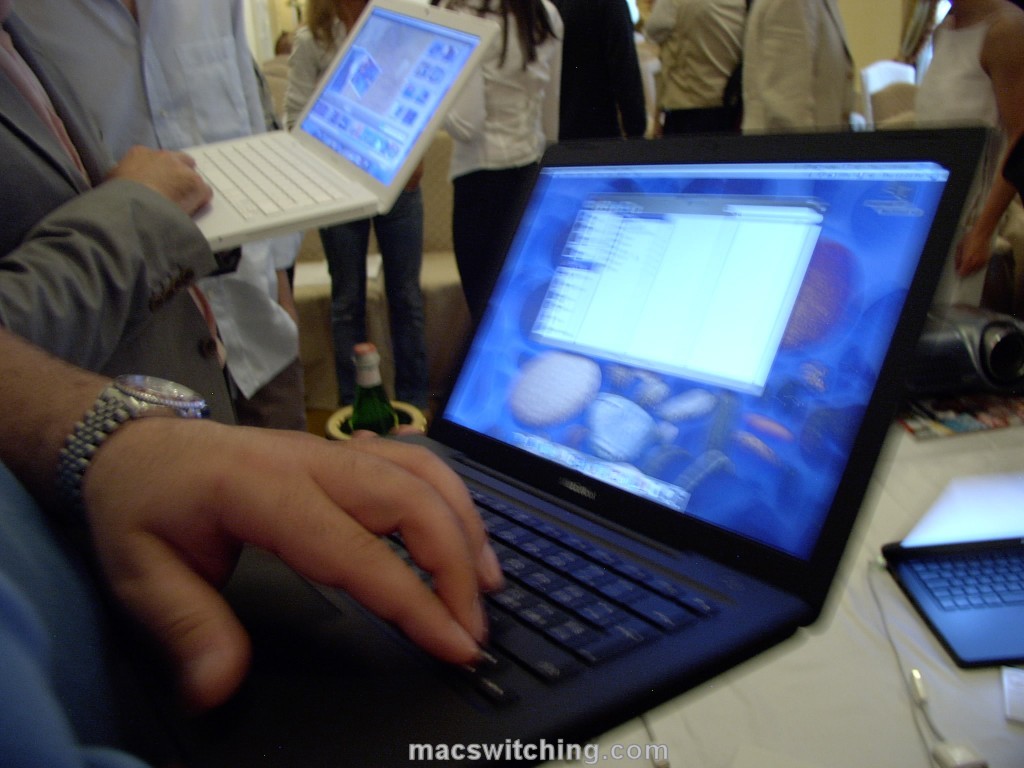
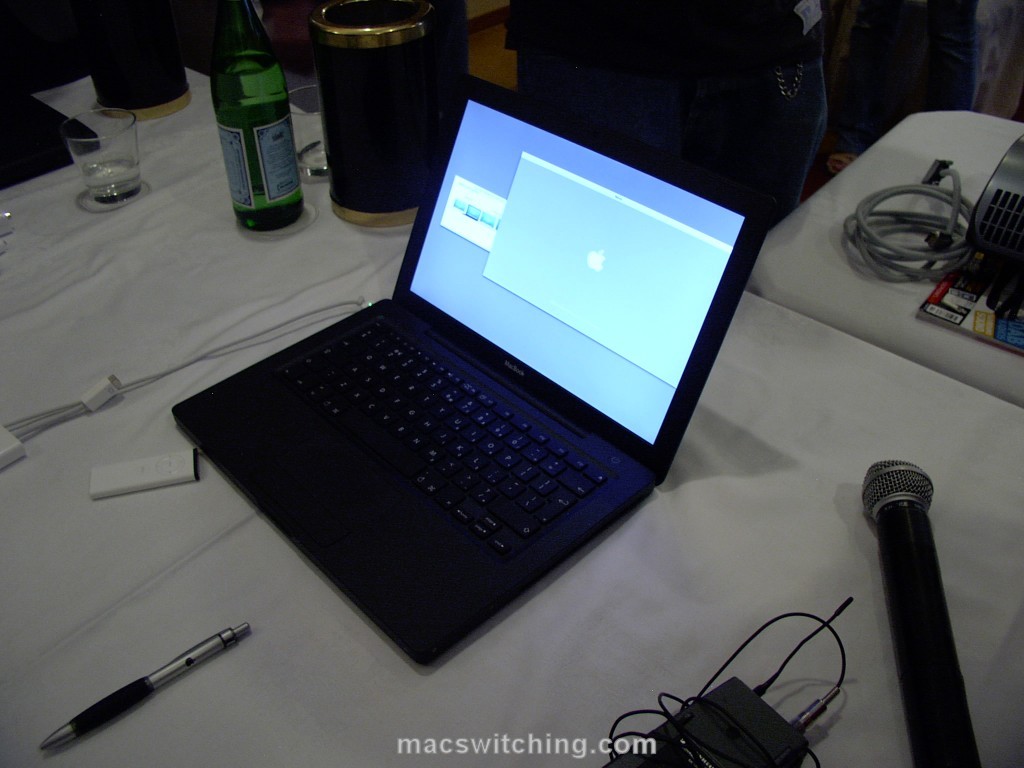
macbook frenzyFirst-hand experience on the new MacBook this morning!
Along with several Mac-fans / switchers / users / pros, I’ve been testing, touchin’ and weighin’ the brand new MacBook.
Click on pictures to see them enlarged.
First impressions.
Great screen: a glossy screen it’s a first-time-ever on a Mac, but it’s welcome. The black MacBook really shines (!) when it comes to show off a Keynote presentation and the backlit Apple logo on the cover it’s really cool.
Weight: I’d expect a lighter MacBook but it’s ok after all, and the size allows to slip it in the backpack comfortably.
macbook presenterKeyboard: reminding of the early 80’s and Sinclair keyboard I was quite worried about this new keyboard. No problem at all: both layout and key placement are pretty good and get you up and running/typing really easily. The keyboard seems to be more protected than before from dust.
Huge touchpad: you have to see how large it is…
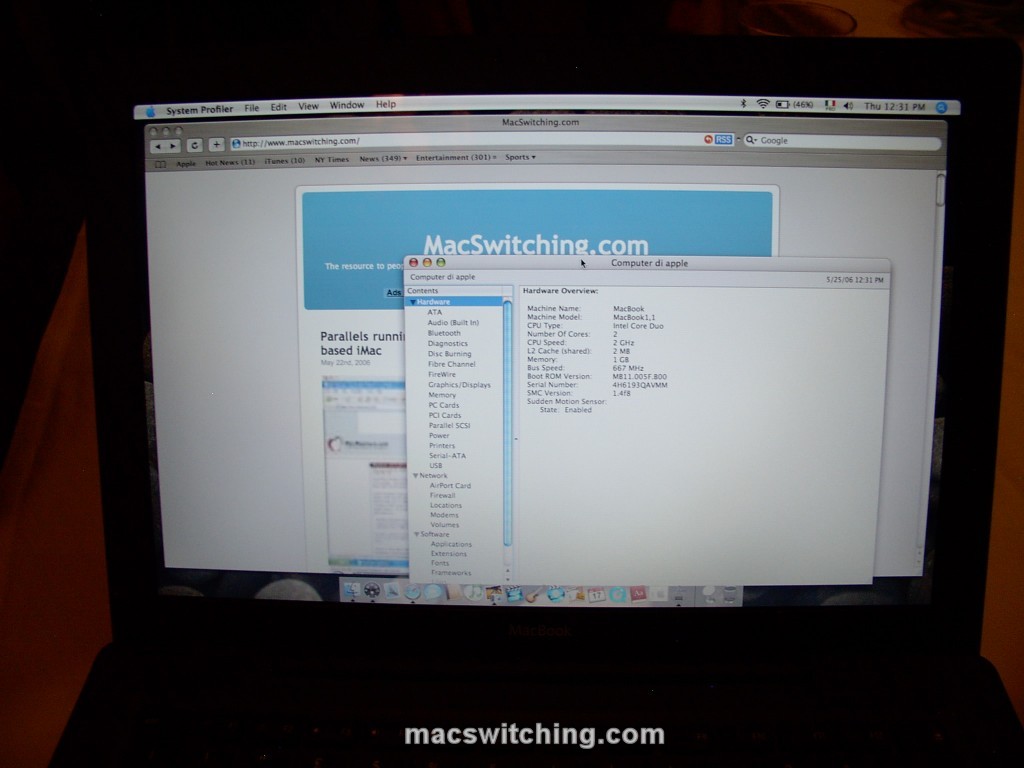
Heating & battery life: during presentation, all MacBooks had both Airport and Bluetooth turned on. Battery usage, although I saw brand new MacBooks, holds good promises.macbook profiler
As for heating, the upper-left part was quite hot, but my G4 Powerbook it’s much er… better when cooking… I’m unable to tell if the different material between black & white model makes any difference about heating.
What about performance?

Safari browsing, task & dashboard switching, Front Row switching were all pretty good.
macbook familyIt did indeed performed well when playing Mission Impossible 3 trailer on Quicktime, and I mean the HD 720p version!
All standard Mac apps perform very well and the i950 graphics card does a good job even when several apps (iDvd and iMovie) are working together taking the Core Duo to the limit.

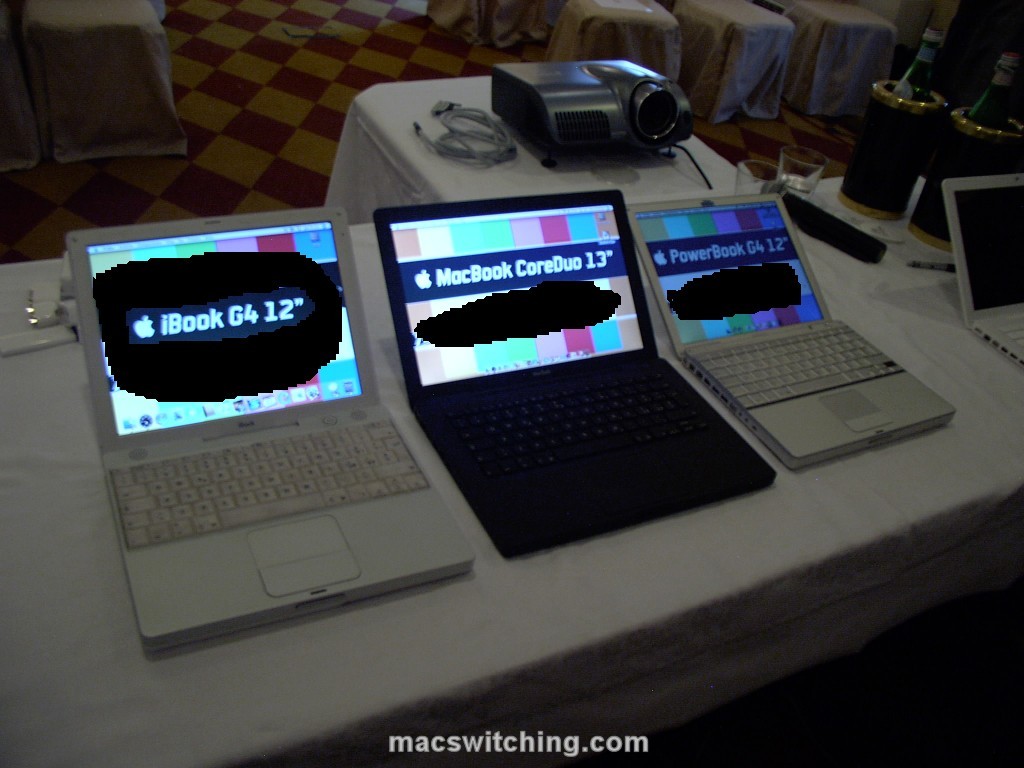
Finally, a complete lineup of consumer/small portable Macs.
Here in a row: an iBook G4 12″, a MacBook 13.3″ and a (venerable) Powerbook G4 12″.
(some top-secret screen content removed…)
The complete history in a row!

Share

Posted on May 22, 2006 at 1:15 pm

Parallels running Windows XP on Mac OS X – intel-based iMac

A pretty example of ‘total switching’.
From the author’s note:Installed the Mac OS X beta from Parallels and demonstrated the speed of XP by reinstalling Firefox, surfing, and rebooting. Running on Intel iMac 2.0 Ghz (256 MB VRAM, 1.5 GB RAM, 512 MB given to XP)

Share

Posted on May 22, 2006 at 1:03 pm

Fast OS Switching on MacBook

As the author says: Fast OS Switching that used Parallels beta 6 and Virtue.

More on this topic…

Share

Posted on May 21, 2006 at 10:20 pm

The LAST reboot – how much time has passed since the last rebooting? A hands-on LAST tutorial.

The LAST reboot – how much time has passed since the last rebooting? A hands-on LAST tutorial for Mac OS X (and BSD as well).

Preface
This is no earthshaking news, just a little bunch of info and real-life experience by myself: it may be well known to you or not.
It’s just my 50 cent contribution.

As every good Mac OS X user, I usually reboot only when really needed.
Two recent events occurred and required me to reboot and shutdown completely (respectively) my G4 Powerbook.
First of all I applied Apple’s latest Security update, a major one involving a huge number of system components as well as major apps.
In second place I got a 1 GB SODIMM from an ebay auction at a real bargain price.
In short: I applied the patch and shutdown the Powerbook in order to put the 1 Gig beside the original 512 MB – grand total 1.5 GB, a different life!

Just like many (if not all) Powerbook users, I’m so used to just STOP my Powerbook instead of shutting it off that sometimes I even forget when was the last time I rebooted it.
After the RAM upgrade I asked myself this very question and proceeded as follows:
– opening the Terminal
last|more
– checking for the first shutdown/reboot item.

Right?
Wrong…

As a part of the DAILY/WEEKLY/MONTHLY rotation of log files, Mac OS X told me that the ‘history’ has changed so much and that:

wtmp begins Mon May 8 12:03

therefore, there’s no evidence/log before that date – and no shutdown/reboot recently…

So what?
Ok, let’s get back to basics:

man last

The LAST command, quite powerful allows us to report on login by users AND TTYs (remote).

The right syntax is, of course, as of

last --h

usage: last [-#] [-f file] [-t tty] [-h hostname] [user ...]

So LAST it’s able to read not only from the current WTMP (the log file that SYSLOG is updating), but even an older/different WTMP provided by the user.
Time to look for the WTMPs graveyard, that is, where the system’s CRON put all the older WTMPs.

If you don’t know the answer, just do a:

locate wtmp

As expected all files are GZIPped under /private/var/log and usually all logs are under /var/log
What’s inside there?
Typing:

ls -al /private/var/log/wtmp*

gives as a result:

-rw-r--r-- 1 root admin 1368 May 21 20:42 /private/var/log/wtmp
-rw-r--r-- 1 root admin 414 Apr 27 15:28 /private/var/log/wtmp.0.gz
-rw-r--r-- 1 root admin 219 Apr 1 13:42 /private/var/log/wtmp.1.gz
-rw-r--r-- 1 root admin 1913 Mar 6 14:44 /private/var/log/wtmp.2.gz

So, from my own user directory (usually /Users/your-name ) I just did a copy of all this files into the Documents folder, just to be safe and juggle with them in a safe place.
Like this:

cp /private/var/log/wtmp.* Documents/

Then, getting into Documents/

cd Documents

and GUNZIPping those WTMPs

gunzip wtmp.*

At last, LASTing each of the four WTMPs, I found the info I needed into wtmp.2:

last -f wtmp.2|more

revealed what follows:

steve ttyp2 Fri Feb 17 00:26 - shutdown (3+20:55)

There it is: I haven’t been rebooting since February 17th, that’s three months without a reboot!

Lesson learned include how much Mac OS X is robust… and as a result, how much LAST enables you to check all shutdown, crash and reboot of your Mac OS X box.
For a single system this may be a trivial task, but not for a multi-Mac sys admin having to cope with several distributed systems.

Share

Posted on May 19, 2006 at 2:28 pm

How to dismantle a MacBook – and discover it’s easy to upgrade

MacWorld has posted a video where it’s easy to see how (easy is) to upgrade both RAM and hard disk in the new MacBook.
Beneath the battery lie the two SO-DIMM slots with a curious leveraging system to get them out.
The hard disk comes out thanks to a plastic strap and it’s a common 2,5″ unit…

MacBook owners may upgrade at will: for the first time much more than PC owners…

BTW, MacWorld says this won’t void Apple’s warranty…

Share

Posted on May 16, 2006 at 4:17 pm

MacBook announced: Intel Core Duo for iBook-class notebooks

apple macbookApple has announced today the brand new MacBook.
It’s the long-awaited replacement for iBook, now sporting Intel Core Duo processor.

So long iBook, it’s been a good workhorse for a lot of people since its introduction back in July 1999 [check here the old G3 specs].

A first look at the new MacBook tech specs (much like what the rumors predicted):
– a brilliant (Vaio-style) glossy 13.3″ display, a must to compete with PCs and the first time ever on a Mac,
– 1.83 and 2.0 GHz processor speed,
– DDR2 RAM up to 2 GB,
– a dual-layer SuperDrive,
– 2 USB 2.0 and a (!) a FireWire 400 port,
– up to 120 GB hard disk drive,
– a not-so-amazing Intel GMA 950 graphics card with 64 MB of shared memory, but still capable of extended desktop on external monitor, through the mini-DVI output and with some optional VGA/DVI/S-VHS adaptors.
apple macbook
Just like the bigger MacBook Pros, the new MacBook sports:
– the MagSafe power adapter,
– a built-in iSight for iChat AV (and some other videophone apps),
– FrontRow remote.

All software bundled with MacBook, as well as iLife ’06, is Universal Binary, that is Intel-CPU compatible: right now.

All this in a white or black (just the big BTO model) case, just like iPod nano…

Prices starting at just US$ 1099 or EU 1119.
Availability: now.

A strange point: the black model, color apart, will get you a 80 GB (up from 60 GB on the White model) for US$ 200 more… the same drive on the White will cost just US$ 50 more…

Check hi-res pictures of the new MacBook from Apple PR right here.

It’s a neat move on Win-PCs and, by the way, it’s quite competitive (in price & specs) on similar PCs with lower-clocked CPUs, no iSight etc. etc.

Share