Posted on November 20, 2005 at 5:04 pm
 Ok, you’re so used to Spotlight but what about a search engine written in PHP+CSS+MySQL that strongly resembles Spotlight behaviour?
They’ve done a really good job recreating, with a smooth use of DOM and CSS coding, the Spotlight search box, the searching process in progress and results showing up.
By myself I’m getting a closer look to the code, there’s a lot to learn from: both in CSS and PHP side too…
You can download the whole thing zipped, a mere 56 KB, including PHP code, CSS+DOM and MySQL tables.
Go here to try it out or to BitFlux page where it all started from.
Ah, by the way: it looks like Safari 1.2 is one of the few supported browsers…
Posted on November 18, 2005 at 4:55 pm
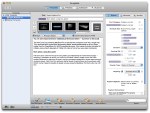 GarageSale is a client application for the eBay online auction system. It allows Mac OS X users to create auctions quickly using an intuitive mac-like interface, integrates with iPhoto and offers WYSIWYG text editing.
Check here for more info on GarageSale.
Posted on November 8, 2005 at 6:28 pm
 As reported in some places as well as on Applenova Forum, Dashcode is expected to be released quite soon.
Has javascript debugging (breakpoints), WYSIWYG editor and more…
Posted on November 6, 2005 at 6:58 pm
A small hint for a big problem, how do you force Spotlight to re-index an entire volume, just like an external FireWire disk?
Do you want to re-index a file or folder—or even an entire volume—for Spotlight?
Just do this:
From the Apple menu, choose System Preferences.
Click Spotlight.
Click the Privacy tab.
Drag a file, a folder, or even an entire volume (your hard drive) to the list.
Remove the item or volume you just added.
Spotlight will re-index the contents of the item you initially dragged to the list
That’s all! The Spotlight icon in the upper right corner will start flashing and reindexing will begin!
Posted on October 28, 2005 at 12:49 am
When it comes to some big-name companies, Macintosh users may have a tough time landing a job.
It’s not just that the business world is dominated by Windows-based computers. It’s because, at a number of large companies, Mac users literally can’t apply.
At American Express, for example, job seekers are greeted with this warning: “At this time, the system does not support Mac environments. If you don’t have access to a PC at home or work, please check out a local public library for Internet access, local Internet cafes, or the nearest government Work Force Center.”
Read here…
Posted on September 23, 2005 at 12:35 am
 The features list is really impressive, so just download it and start tweaking your Mac OS X (10.1 to 10.4).
The tool makes sure that preference changes can only affect the current user. You don’t need administrative privileges to use the tool. With this design, it is no problem to use TinkerTool in professional networks where users have restricted permissions. The program will never change any component of the operating system, so the integrity of your system is not put at risk, and there will be no negative effect on system updates.
Posted on September 15, 2005 at 9:47 am
 Nuevos is really small search window which can be customised to perform search with a list of popular search engines, and new ones may be added too!
Latest version is 0.5 (Public Beta 3), Universal Binary (PowerPC and Intel) · Supports 10.3.9 (Panther) and all versions of 10.4 (Tiger).
Downloadable from Nuevos web site.
Posted on September 1, 2005 at 11:48 am
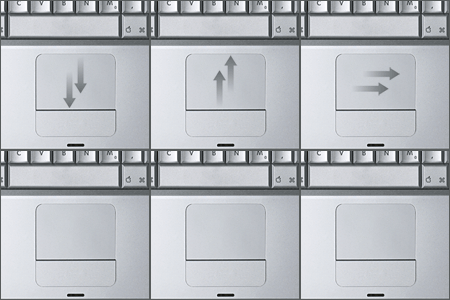
An Open Source Project that aims at the PowerBooks touchpad and behaviour.
As the Sourceforge.net team says what is it:
A project to implement an open source driver for Apple powerbooks. The project was started as an alternative to SideTrack (which isn’t free) and an improvement upon iScroll2. It acheives its advanced features by running the trackpad in what is called `absolute’ mode. This means that the driver can tell exactly what part of the pad your finger is touching. The Apple driver (and iScroll2) both run the pad in `relative’ mode, and while that facilitates a simpler driver because the pad does most of the work, it is very limiting of what you can do.
Read carefully if your Powerbook is supported, though.
Check here for more details and download.